
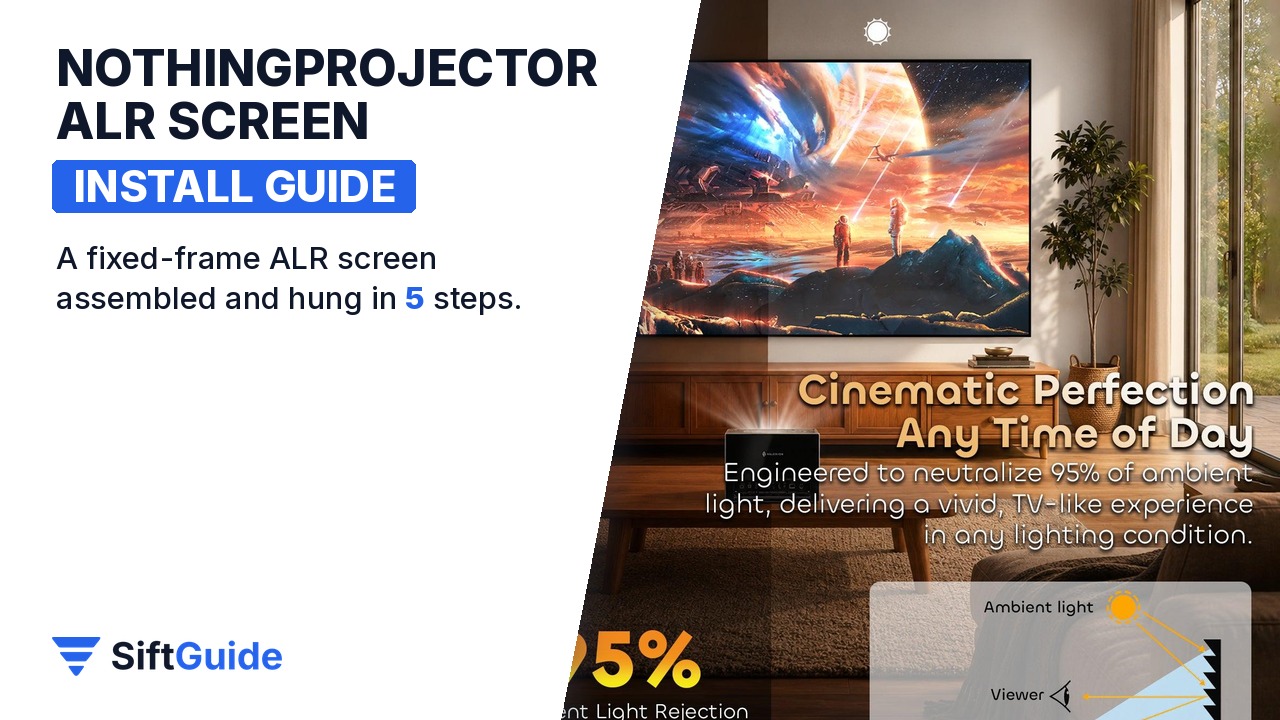
An ambient-light-rejecting screen is the single biggest upgrade most projector setups can get. A bare wall reflects light from every direction, so lamps and windows wash out the picture. A lenticular ALR surface is built to send the projector’s light back to the viewers and reject light that arrives from other angles. The NothingProjector Lenticular 4K screen comes in 100, 120 and 130 inch sizes for long- and standard-throw projectors. It ships as a kit, and the result depends on a careful assembly: a screen that is not perfectly flat shows waves as soon as the picture moves. This guide follows the official manual, step by step.
Disclosure: this guide contains affiliate links (Awin). If you buy through them we may earn a commission at no extra cost to you. Specs come from the official product page.
What you need
- The screen kit: frame pieces, screen surface, fiberglass strips, springs, outer frame, corner protectors, screws and wall brackets (check against the parts list)
- A clean, soft surface the size of the screen to work on, such as a carpet or a large cloth
- The gloves supplied in the kit
- A screwdriver, a drill with wall plugs and screws suited to your wall, a spirit level and a tape measure
- A second person for standing the frame up and hanging it
- A long-throw or standard-throw projector; NothingProjector recommends 2,000 ANSI lumens or more
Step 1: Unpack and check the parts
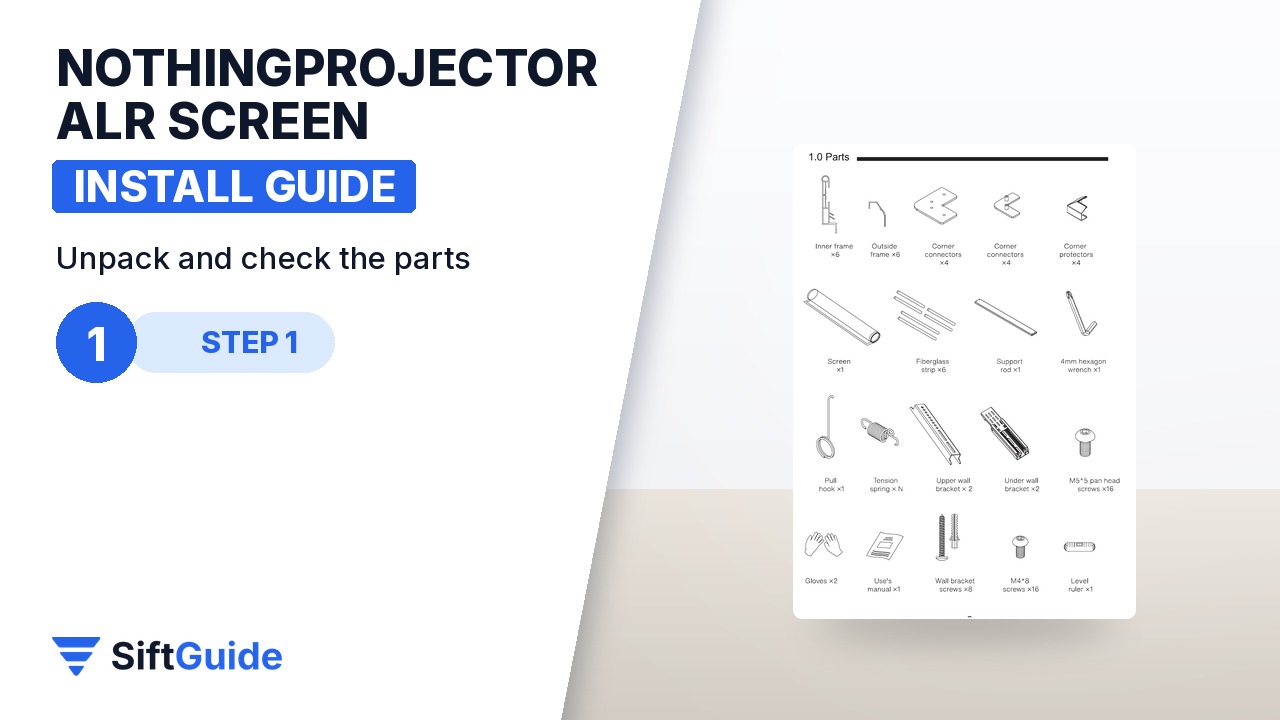
Open the box on a clean, soft surface and lay out every part. Check them against the parts list in the manual before you start: it is far easier to report a missing corner connector now than with a half-built frame. Put on the gloves from the kit. Never touch the screen surface with bare hands and never fold or crease it: skin oils and creases show up on an ALR surface as bright spots and lines once the projector is on.
Step 2: Build the frame
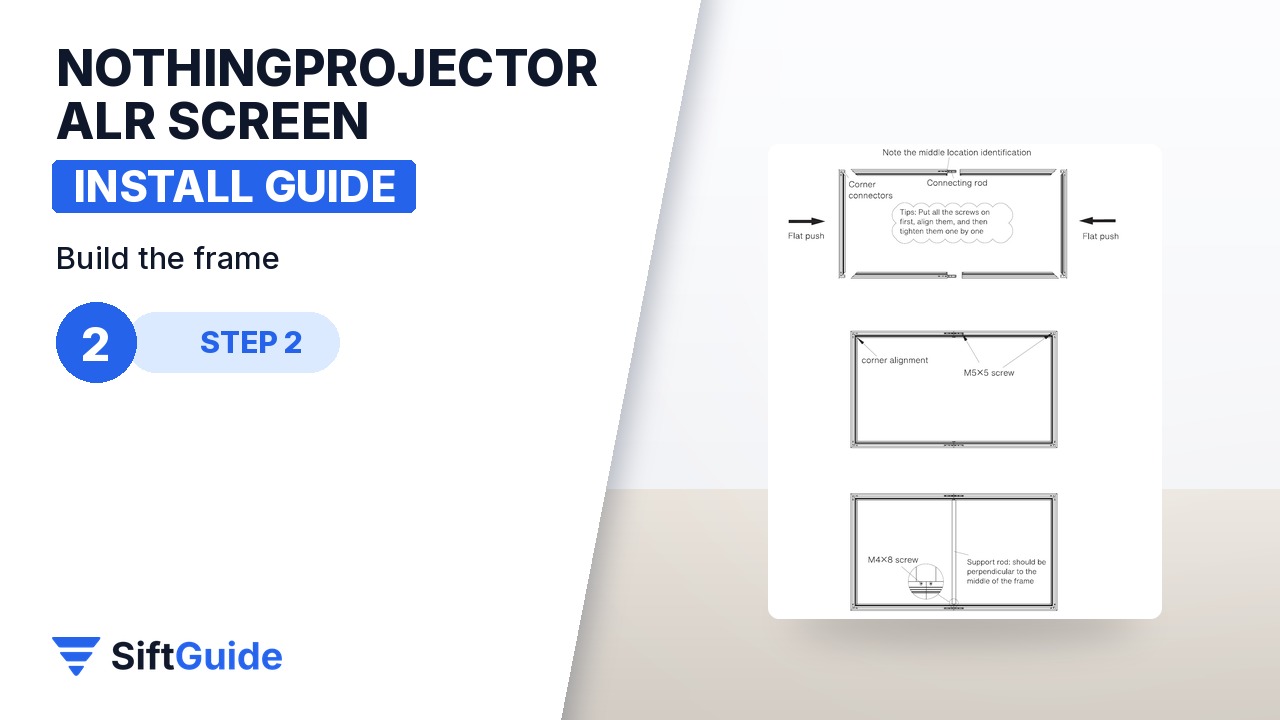
Join the horizontal frame pieces using the splice connectors, matching the marks at the middle of each piece. Then add the corner connectors and the vertical pieces to make a rectangle. Set every screw loosely first and only tighten them all once the whole frame is square; tightening as you go pulls the frame out of square. Check by measuring both diagonals: when they are the same length, the frame is square.
Step 3: Fit the strips and the springs
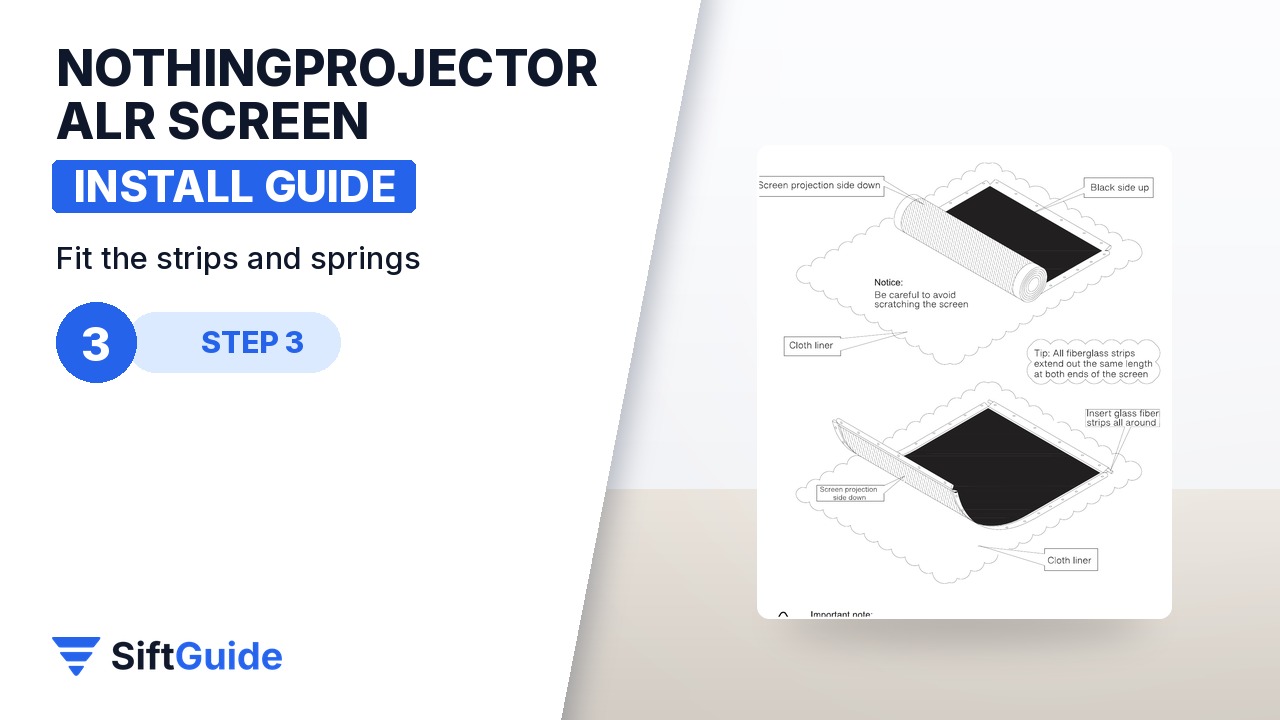
Lay the screen face down on the soft surface and put the frame on top of it. Slide the fiberglass strips into the pockets along the edges of the screen. Then hook the springs between the strips and the frame in the numbered order the manual shows: springs 1 to 8 first, then 9 to 12. Following the order keeps the tension even, which is what makes the surface flat. Do not skip springs, and do not overstretch one side.
Step 4: Add the outer frame and corners
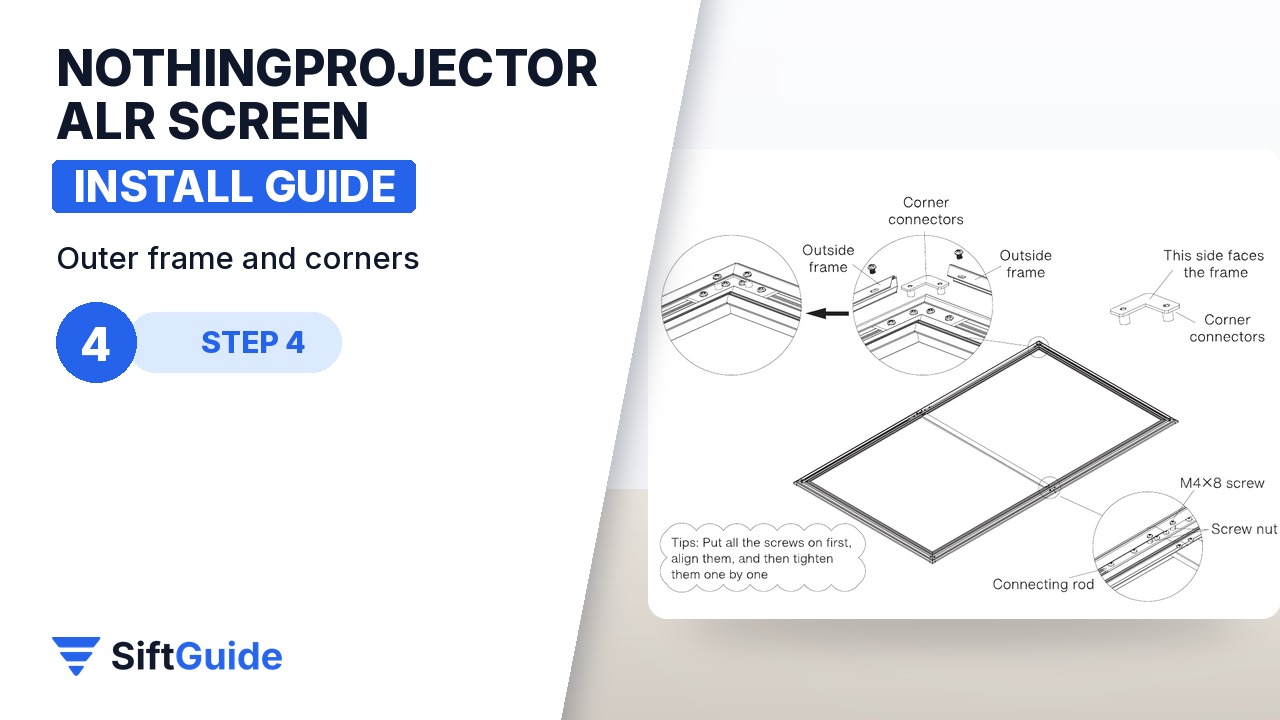
Fit the outer frame pieces over the edges and fix them with the M4 × 8 screws, closing the small gaps at the corners. Finish with the corner protectors. With a helper, stand the screen up and look along its surface from the side, with a light behind you: it should be completely flat, with no waves or slack areas. If you see a wave, a spring in that area is usually missing or hooked in the wrong order.
Step 5: Hang it on the wall
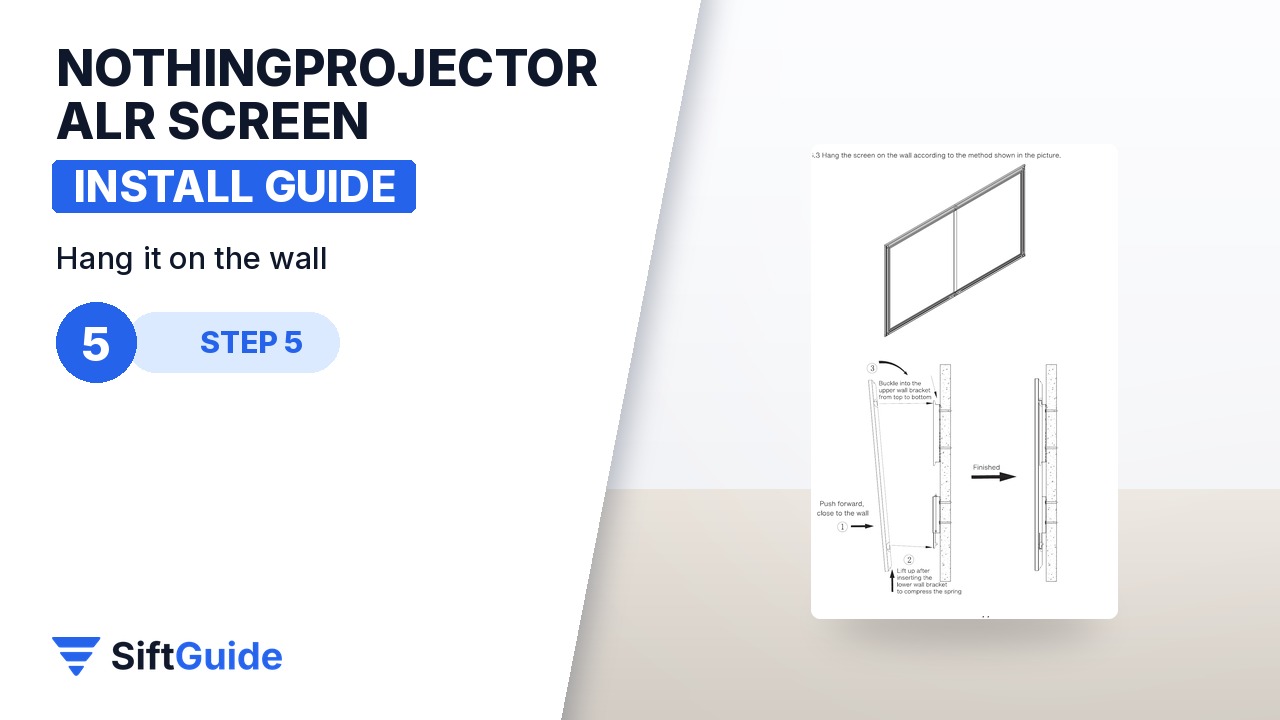
Mark the brackets about 30 cm in from each side of the screen and use a spirit level: a screen that is slightly crooked is obvious with a picture on it. The manual recommends the bottom edge of the screen sit 60 to 80 cm above the floor, which puts the centre of the picture near seated eye level. Fix the brackets with screws and plugs suited to your wall, seat the bottom of the frame on the lower bracket, push it up, and clip it into the top bracket.
Match the screen to the projector
This screen is designed for long-throw and standard-throw projectors, not ultra-short-throw ones, which need a different ALR structure. It has a 0.8 gain, which makes it slightly darker than a white matte screen in exchange for contrast in a lit room, so NothingProjector recommends a projector of 2,000 ANSI lumens or more. A small pocket projector is too dim for it.
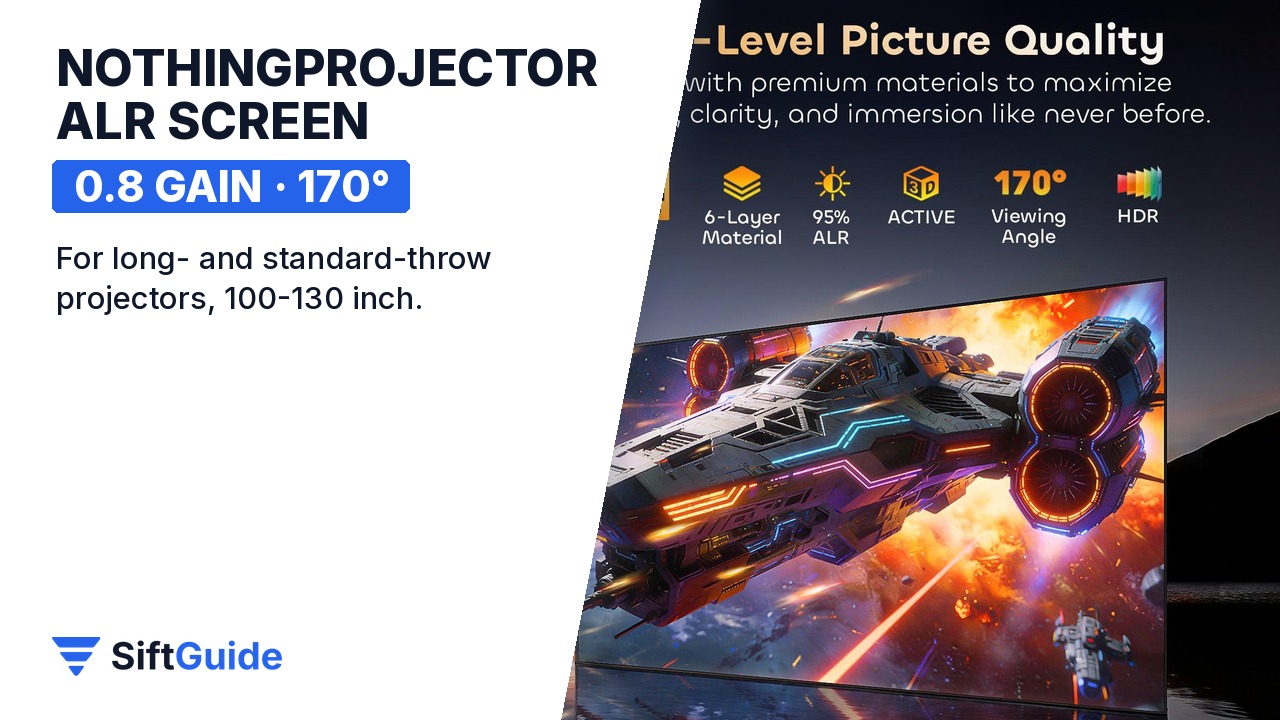
Done: a square frame, even spring tension, a flat surface and a screen hung level at the right height. Point your projector at it, use the projector’s own zoom and lens shift rather than digital keystone where possible, and you get the contrast an ALR screen is bought for, even with a lamp on.
NothingProjector Lenticular 4K ALR Screen (100-130″, long and standard throw)
Fixed-frame lenticular ambient-light-rejecting screen for long-throw and standard-throw projectors, in 100, 120 and 130 inch sizes. 0.8 gain, 170° viewing angle and ambient light rejection above 95%, according to the manufacturer; best with projectors of 2,000 ANSI lumens or more. Ships as a kit with frame, fiberglass strips, springs, outer frame, corner protectors and wall brackets. Listed at $799 (100″), $899 (120″) and $999 (130″) in the NothingProjector affiliate catalog (October 2026); check the store for current prices.
FAQ
Does this screen work with an ultra-short-throw projector?
No. It is designed for long-throw and standard-throw projectors. UST projectors need a screen with a different ALR structure.
What gain does it have?
0.8, with a 170° viewing angle, according to NothingProjector.
How high should I hang it?
The manual recommends the bottom edge 60 to 80 cm above the floor, with the brackets about 30 cm in from each side.
How bright does my projector need to be?
NothingProjector recommends 2,000 ANSI lumens or more for this screen.
Why are there waves in my screen?
Usually a spring is missing or the springs were not hooked in the order the manual shows, so the tension is uneven. Re-check that side.
