
A mind map is the fastest way to turn a messy brain dump into something you can present: a project plan, revision notes, a content calendar. Wondershare EdrawMind, the mind mapping app formerly sold as MindMaster, runs on Windows, Mac and Linux, with web and mobile versions that sync. Wondershare says it is used by more than 25 million people and ships with 52 themes and 30 layouts. This guide follows the official EdrawMind desktop user guide and covers the five moves you need for your first map.
Disclosure: this guide contains affiliate links (Awin). If you buy through them we may earn a commission at no extra cost to you. Specs come from the official product page.
What you need
- A Windows, Mac or Linux computer
- EdrawMind installed (free download from Wondershare; a paid plan unlocks the full feature set)
- A topic to map: a project, a lesson, a plan or a book
- Optional: a Wondershare account for cloud files and AI credits
Step 1: Download and install EdrawMind
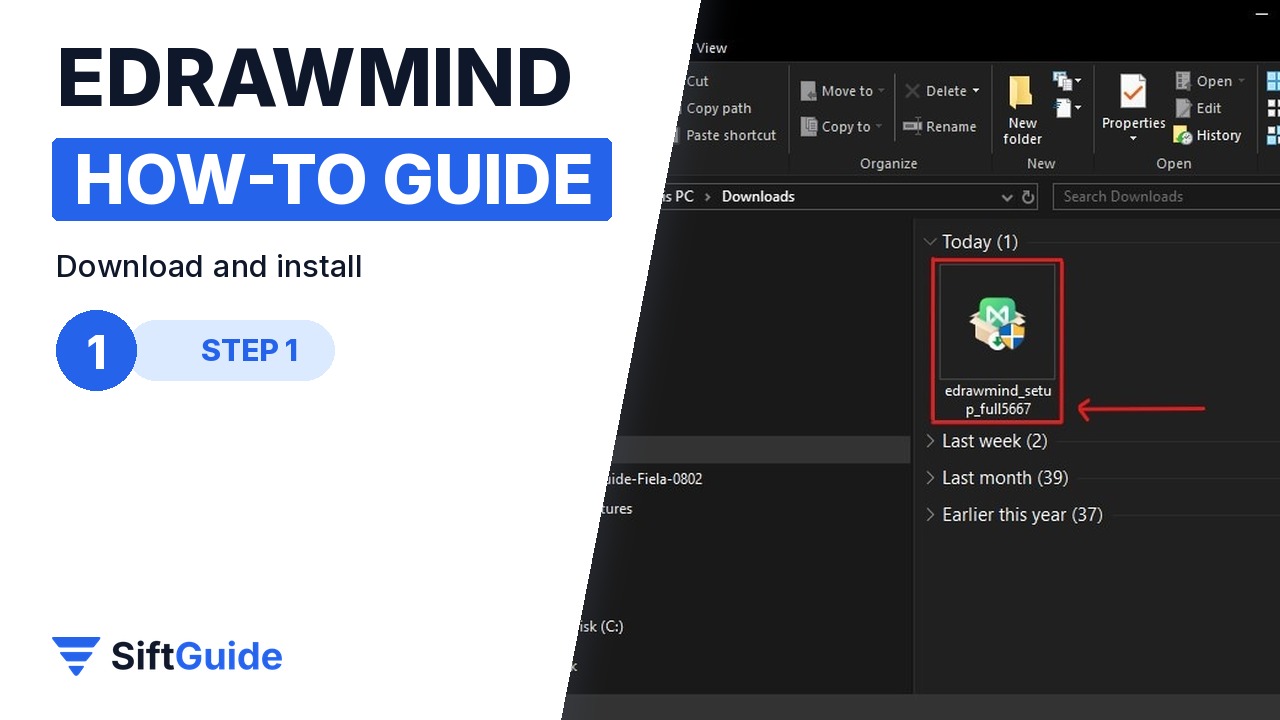
Get the installer for your system from the EdrawMind website and double-click the .exe file on Windows. Wondershare lists Windows Vista to 11 (32 and 64-bit), Mac OS X 10.10 and later, and major Linux distributions such as Ubuntu, Debian, Fedora and Mint. Later, File > Account > Check for Updates keeps it current.
Step 2: Create a map or start from a template

Click Create on the home screen and choose a map structure for a blank map, or browse the template gallery and click Duplicate on any template to open an editable copy. Templates are the quickest start for common jobs like project plans, book notes or org charts.
Step 3: Add topics and subtopics
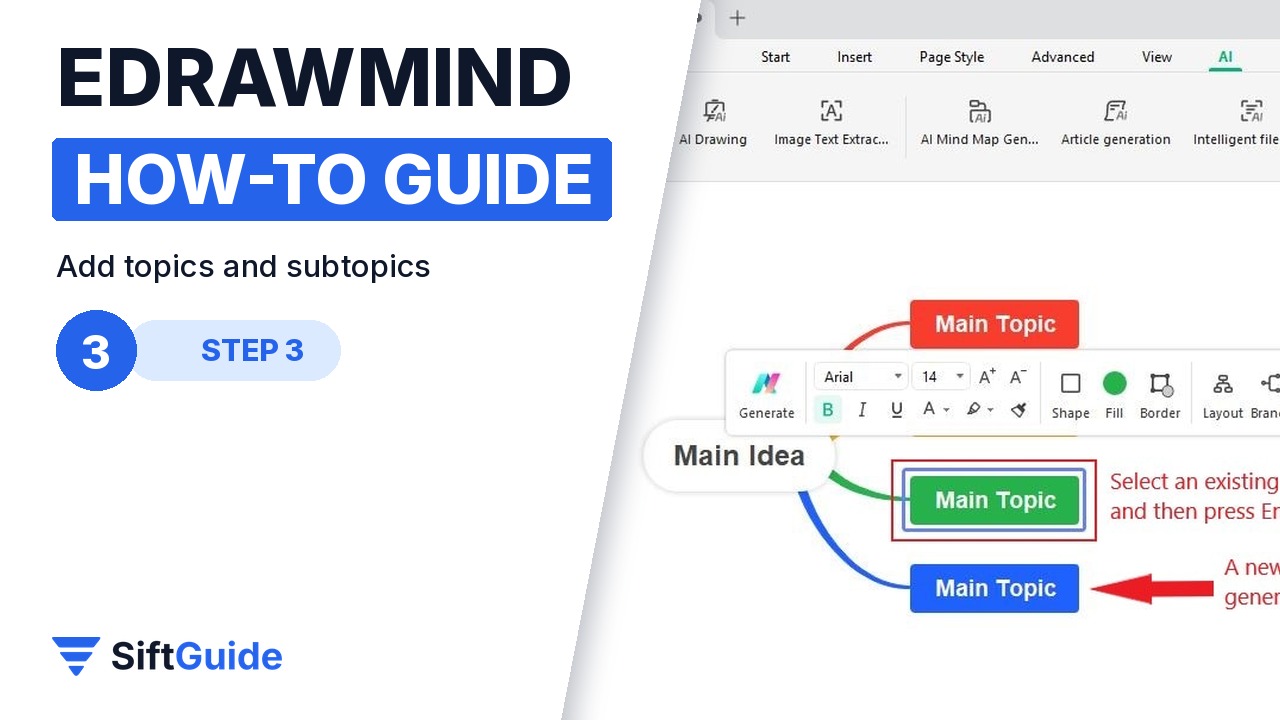
Select a topic and press Enter to add a topic at the same level, or Tab (also Insert or Ctrl+Enter) to add a subtopic under it. The Topic and Subtopic buttons on the Home tab do the same, and Alt+F places a floating topic anywhere on the canvas. Double-click any topic to type.
Step 4: Switch the layout and theme
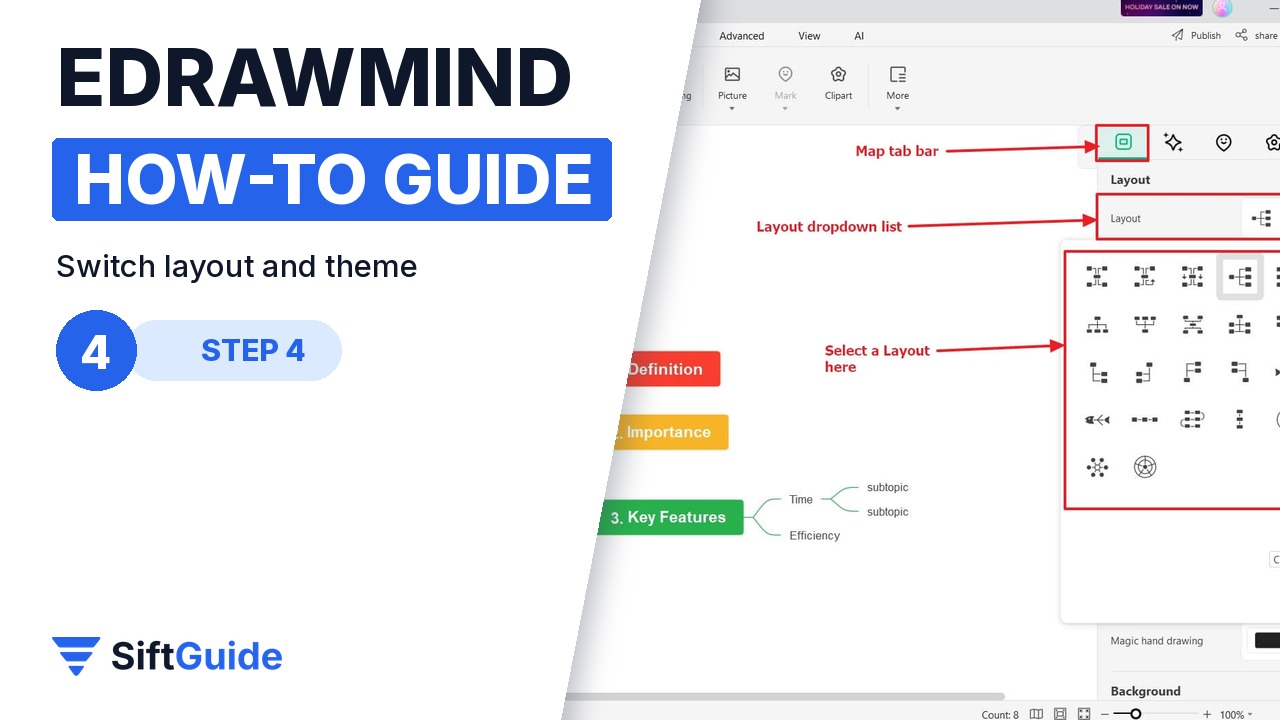
Open the right-side panel and click Map. Under Layout, pick a different structure, for example a timeline instead of the classic radial map; EdrawMind rearranges everything for you without losing content. In the same panel, Theme applies a full set of colours, fonts and line styles to the whole map in one click.
Step 5: Generate a map with AI
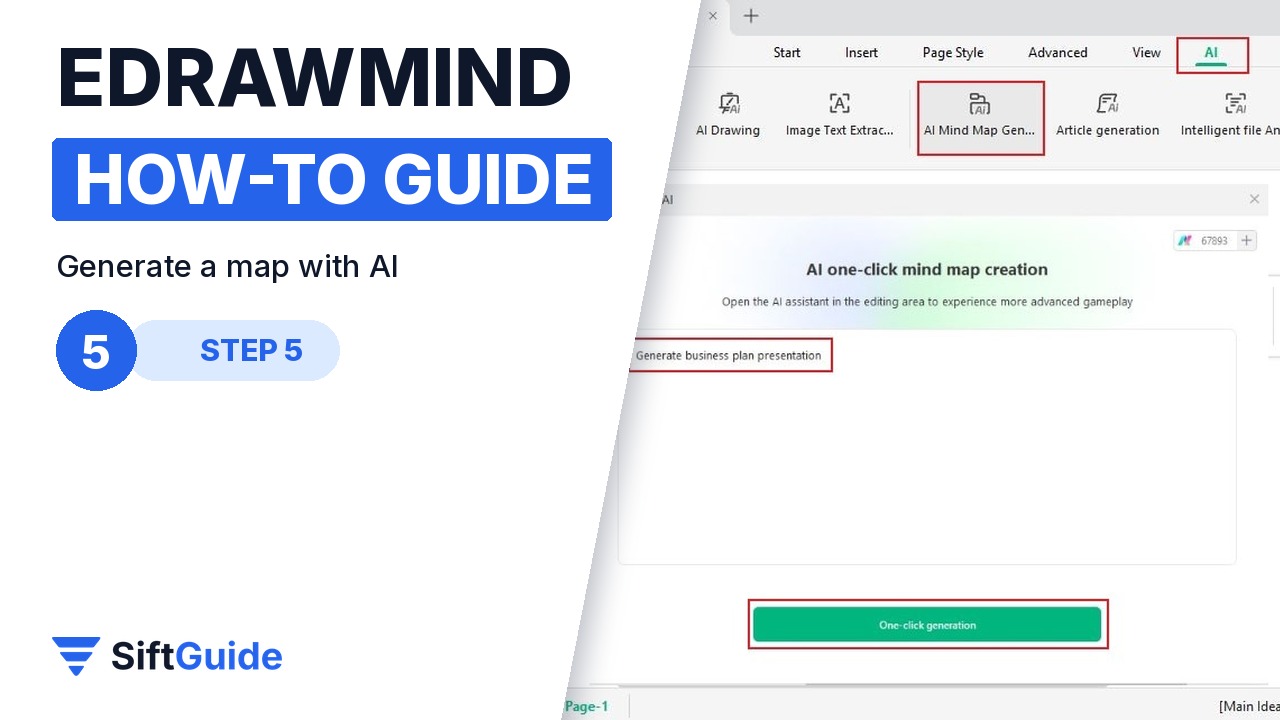
Stuck on a blank page? Click Create, choose Local MindMap, then AI > AI Mind Map Generation. Type a prompt, such as the subject and the level of detail you want, and Edraw AI builds an editable mind map that you can restyle and expand like any other.
Pro tip
Use the keyboard: Enter, Tab and Delete are all you need to build a map at typing speed, and you can fix the look afterwards with Layout and Theme. If a branch gets crowded, fold it, or turn it into its own page with Multiple Pages.
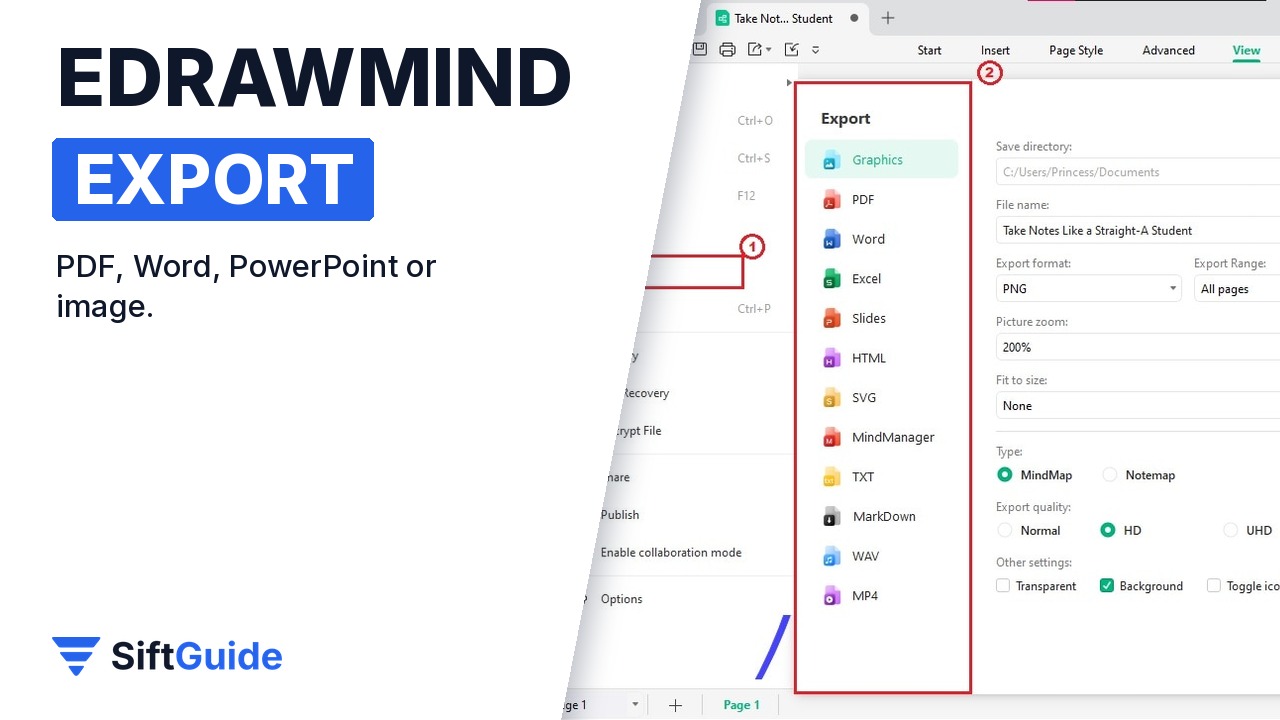
Share it: click the Export icon in the quick access toolbar for PDF or graphics, or go to File > Export for Word, Excel, PowerPoint, HTML, SVG, MindManager and TXT. Exporting to PowerPoint is a quick way to turn the map into slides for a meeting.
Wondershare EdrawMind (MindMaster)
Mind mapping and brainstorming app for Windows, Mac, Linux, web and mobile: templates, 30 layouts, 52 themes, outline, slides, Gantt and Kanban modes, AI mind map generation and export to PDF, Office formats and images. Price in the Wondershare affiliate feed for the MindMaster yearly subscription plan in October 2026: $49. Prices and plans change, so check before you buy.
FAQ
Is EdrawMind the same as MindMaster?
Yes. Wondershare renamed MindMaster to EdrawMind; the Awin feed still lists the plans under the MindMaster name.
Is EdrawMind free?
There is a free version to download and try. Some features, larger exports and AI credits need a paid plan.
Does EdrawMind work on Linux?
Yes. Wondershare lists Debian, Ubuntu, Fedora, CentOS, OpenSUSE, Mint and other distributions, alongside Windows and macOS.
Can I open EdrawMind maps in other apps?
You can export to PDF, Word, Excel, PowerPoint, HTML, SVG, TXT and MindManager format, so colleagues without EdrawMind can still view or edit the content.
