
Affiliate disclosure: this post contains affiliate links (Awin) to Wondershare’s FamiSafe store. If you buy through them, SiftGuide may earn a commission at no extra cost to you; it does not change your price or terms. Plans, prices, device limits and feature lists come from FamiSafe’s official pricing page and FAQ, and refund rules from Wondershare’s refund policy, all checked on October 20, 2026. Prices are the US-dollar prices on FamiSafe’s English store page; your checkout may show another currency and local taxes. We have not tested FamiSafe ourselves.
FamiSafe is Wondershare’s parental control app. A parent installs it on their own phone, a child’s device gets the kid app, and from then on the parent can set screen-time limits, block apps and websites, see location and get alerts. It works on Android, iOS, Kindle Fire, Windows, Mac and Chromebook. FamiSafe sells three paid family plans that unlock the same features and differ only in billing period and how many devices they cover. Here is what each one costs, what the free plan really includes, the limits FamiSafe’s own FAQ admits to, and the places where its pricing page and refund rules don’t match.
FamiSafe family plans at a glance
Plan: Yearly
- Billed: US$59.99 once a year
- Shown per month: US$4.99
- Devices: up to 10
- 12 months cost (our math): US$59.99
Plan: Quarterly
- Billed: US$19.99 every 3 months
- Shown per month: US$6.66
- Devices: up to 8
- 12 months cost (our math): US$79.96
Plan: Monthly
- Billed: US$9.99 every month
- Shown per month: US$9.99
- Devices: up to 5
- 12 months cost (our math): US$119.88
Plan: Free
- Billed: US$0.00
- Shown per month: –
- Devices: 1
- 12 months cost (our math): US$0.00, but nearly every feature is locked
Only the Yearly plan has a free trial (3 days, “Cancel anytime”); Quarterly and Monthly are straight “Buy Now” purchases. All three are subscriptions that renew automatically. The page also shows crossed-out higher reference prices next to each plan, and it notes that all prices are subject to applicable local taxes.
See current FamiSafe prices on the official store
All three paid plans unlock the same features
FamiSafe’s comparison table ticks every feature for Yearly, Quarterly and Monthly alike. The only differences are the price and the device limit (10, 8 or 5). Per the table, a paid plan includes:
- Content safety: WhatsApp Monitor, Social Media Content Monitor, AI Emotional Insights (Social Media), Call & Message Monitor, Sensitive Image Alerts, TikTok History and YouTube Monitor.
- Device control: Usage Time Limit, Disable Schedule, Screenshot Monitor, Instant Block, App Block, App Time Limit, Live Audio Monitor and Usage Report.
- Web safety: Website Filter, Browsing History and Safe Browsing.
- Location: Real-time Location, Geofencing Alert, Driving Route Track and Location History Report.
FamiSafe’s FAQ adds two things that matter for families: sub-accounts let other family members use the premium features under the main subscription (“Sub-accounts enjoy the same full functionality as the main account”), and a daily usage report goes to the registered email address.
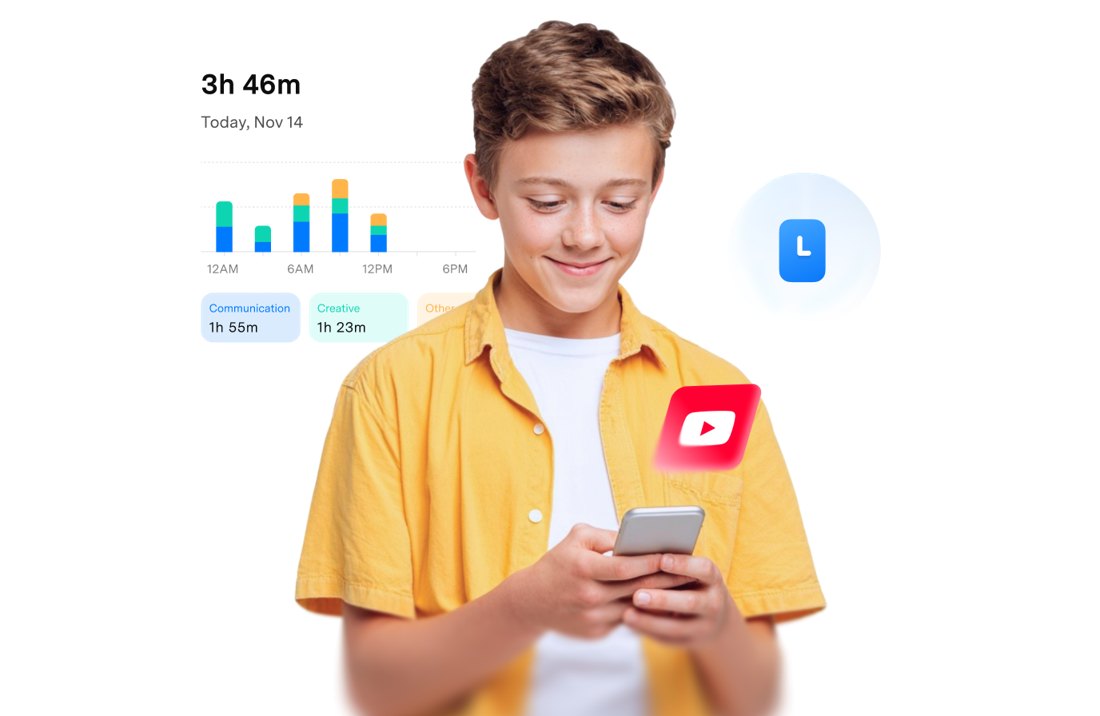
Image: FamiSafe official website (screen time and usage report).
What the free plan actually gives you
The free plan covers one device, but in FamiSafe’s own table 18 of the 22 features are locked on it. The other four (Social Media Content Monitor, Sensitive Image Alerts, Screenshot Monitor and Usage Report) are marked “View demo data only”. In practice the free tier lets you look around the app with sample data; it does not set real limits or show real activity. If you want to try FamiSafe for real before paying, the 3-day trial on the Yearly plan is the route the store offers.
Yearly vs Quarterly vs Monthly
Yearly: US$59.99 a year, up to 10 devices
Best for: most families who already know they want it. Over a year it costs US$59.89 less than paying monthly (US$59.99 vs US$119.88), it covers twice as many devices (10 vs 5), and it is the only plan with a free trial. By our math that is about US$6.00 per device per year if you use all ten slots. The store shows it as US$4.99 a month; US$59.99 divided by 12 is US$5.00 when rounded, so the difference is just rounding. One payment detail from the pricing page FAQ: automatic renewal of annual plans works only with credit cards and PayPal.
Check the Yearly plan and free trial
Quarterly: US$19.99 every 3 months, up to 8 devices
Best for: trying it for a school term. Three months for US$19.99 (US$6.66 a month) is a cheaper way to test FamiSafe on real devices than the Monthly plan if you expect to keep it more than two months. Kept for a full year, four quarters cost US$79.96, which is US$19.97 more than the Yearly plan.
Monthly: US$9.99 a month, up to 5 devices
Best for: a short, specific need. For example, a first phone over the summer, or a month of checking whether screen-time rules work. It is the most expensive way to run FamiSafe long term: twelve months come to US$119.88, about US$23.98 per device per year even with all five slots used.
Renewals, refunds and cancelling
- Every plan renews automatically. The pricing page says auto renewal is the default for all subscriptions. If you bought on the website, you stop renewal through Wondershare’s Support Center. If you bought in Google Play or the App Store, you manage it there.
- Renewal price. FamiSafe’s main FAQ says a first-time discount applies only to the first subscription: “Renewals will be charged at the original price.” The pricing page FAQ says you “will automatically be charged the same amount” when the subscription ends. Those two statements don’t agree (see the mismatch box), so check the renewal amount in your order confirmation and set a reminder before it renews.
- Cancel in time. Wondershare’s refund policy asks you to cancel at least 24 hours before a trial or billing period ends. It also says refund requests for renewals based only on “I did not know the subscription would renew” or “I no longer need the product” are generally not eligible if a reminder was sent.
- Refund window. The pricing page advertises a 7-day money-back guarantee. Wondershare’s general policy lists 30 days for most products bought directly, and residents of the EU have a 14-day withdrawal right. App Store and Google Play purchases are refunded through those stores, not by Wondershare.
What FamiSafe says it can’t do
FamiSafe’s FAQ is unusually candid about its limits. Worth reading before you pay:
- You need the child’s device in hand. Setup requires physical access to the Android, iOS, Kindle Fire, Mac, Windows or Chromebook device.
- iPhones get less. iOS limits access to content inside third-party social apps such as WhatsApp, Instagram, Snapchat and Telegram. Ambient sound monitoring doesn’t work on iOS, some activity and browser-history reports are listed as Android-only, and Calls & Messages is temporarily unavailable on iOS 27.
- No consoles or TVs. No parental controls for Xbox, PlayStation, Nintendo Switch or Android TV, and no Apple Watch support.
- Gaps a determined teen can find. It can’t detect Incognito mode on mobile browsers, can’t block VPNs, proxy websites or ads, and can’t change Wi-Fi or mobile data settings. On iOS, system apps like Camera, Maps and Phone can’t be blocked.
- Per-device limits only. Screen time is tracked and limited separately on each device; there is no combined limit across a child’s phone and laptop.
- YouTube: FamiSafe can limit time and show watch history and searches, but can’t block specific videos; the FAQ suggests pairing it with YouTube Kids.
- Weaker than the built-in tools in places. FamiSafe itself says that, as a third-party app, it has fewer permissions than Google Family Link.
- Alerts: no SMS or phone-call alerts; the daily report comes by email. The interface is in 9 languages.
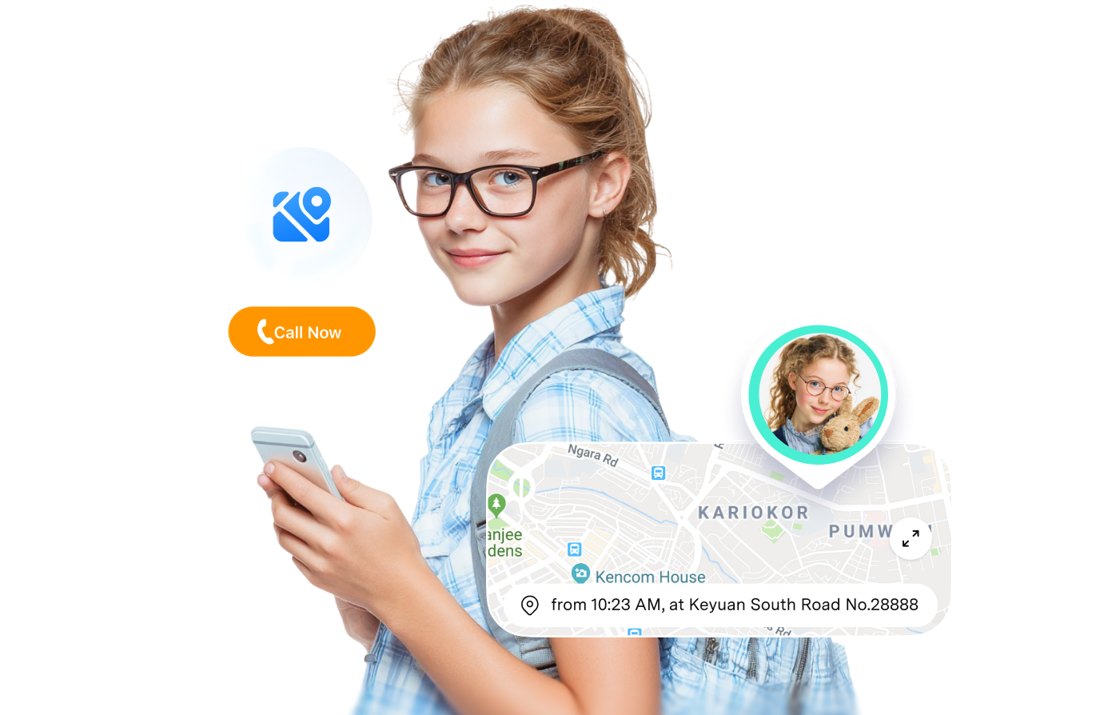
Image: FamiSafe official website (location tracking).
Use it openly
Several features, like call and message monitoring, screenshots and live audio, are strong tools. They’re meant for parents managing their own children’s devices, and iOS even shows a “This device is monitored” notice after setup. Tell your child what is switched on and why, agree on the rules together, and scale monitoring down as they get older. Monitoring another adult’s device without consent may be illegal where you live.
Which FamiSafe plan should you choose?
- Not sure yet: start the Yearly plan’s 3-day trial and cancel at least 24 hours before it ends if it isn’t right.
- Keeping it for the year, or more than five devices: Yearly (US$59.99, 10 devices).
- One school term: Quarterly (US$19.99, 8 devices).
- A month or two for a specific situation: Monthly (US$9.99, 5 devices).
- Only iPhones and you mainly want app and screen-time limits: compare with Apple’s built-in Screen Time first, since many of FamiSafe’s monitoring features are limited on iOS.
See all FamiSafe plans and current prices · Visit the official FamiSafe site
Where FamiSafe’s own pages disagree (checked October 20, 2026)
- Renewal price: the pricing page FAQ says you are “automatically charged the same amount” at renewal; the main FAQ says the first-time discount doesn’t continue and “Renewals will be charged at the original price”. The pricing page shows crossed-out higher prices but doesn’t state a renewal amount.
- Refund window and conditions: the pricing page promises a “7-Day Money-Back Guarantee”, and its FAQ says the guarantee is “in case you’re not satisfied”. Wondershare’s refund policy lists 30 days for most products bought directly, doesn’t include FamiSafe among the 7-day products, and lists requests “based solely on change of mind” as not eligible. To be safe, treat 7 days as your window (14 days if you live in the EU) and read the policy before buying.
- Where to buy: the FAQ answer “Where can I purchase FamiSafe?” names only Google Play and the Apple Store, while the website sells the same plans directly. Where you buy decides who handles refunds and cancellation.
- Price rounding: Yearly is shown as US$4.99 a month; US$59.99 divided by 12 is US$5.00 when rounded.
- Free plan: listed as covering 1 device, but every feature is either locked or “View demo data only”.
Setting up headphones for a child as well? See our EarFun kids headphones guide (K1 to K4).
FAQ
How much does FamiSafe cost?
On FamiSafe’s English store page: Yearly US$59.99 a year (shown as US$4.99/month, up to 10 devices), Quarterly US$19.99 every 3 months (US$6.66/month, up to 8 devices) and Monthly US$9.99 a month (up to 5 devices). Local taxes may apply.
Is FamiSafe free?
There is a free plan for one device, but FamiSafe’s comparison table locks most features on it and shows only demo data for the rest. The Yearly plan has a 3-day free trial.
Do the plans have different features?
No. FamiSafe’s table shows the same features on Yearly, Quarterly and Monthly. They differ in price, billing period and device limit (10, 8 or 5).
Does FamiSafe work on iPhone?
Yes, but with fewer features than on Android. FamiSafe’s FAQ says iOS limits access to third-party social apps, ambient sound monitoring is not available, some reports are Android-only, and Calls & Messages is temporarily unavailable on iOS 27.
Can I get a refund?
The pricing page advertises a 7-day money-back guarantee. Wondershare’s refund policy also gives EU residents a 14-day withdrawal right. App Store and Google Play purchases are refunded through those stores.
How do I cancel FamiSafe?
If you bought on the website, contact Wondershare’s Support Center; if you bought in Google Play or the App Store, cancel the subscription there. Wondershare asks you to cancel at least 24 hours before the period ends.
Do I need access to my child’s phone?
Yes. FamiSafe’s FAQ says you need physical access to the child’s device to install the app and finish setup. After that you manage it remotely.
Sources
All checked on October 20, 2026.
- FamiSafe – Pricing (For Family): https://famisafe.wondershare.com/store/family.html
- FamiSafe – Frequently Asked Questions: https://famisafe.wondershare.com/faq/
- FamiSafe – User Guide: https://famisafe.wondershare.com/user-guide/
- FamiSafe – Homepage: https://famisafe.wondershare.com/
- Wondershare – Refund Policy: https://www.wondershare.com/refund-policy.html
