
Affiliate disclosure: this post contains affiliate links (Awin) to Wondershare’s MobileTrans store. If you buy through them, SiftGuide may earn a commission at no extra cost to you; it does not change your price or terms. Plans, prices and license rules come from MobileTrans’s official Windows pricing page, app pricing page and FAQ, and refund rules from Wondershare’s refund policy, all checked on October 20, 2026. Prices are the US-dollar prices shown on the English Windows pricing page; your checkout may show another currency and local taxes. We have not tested MobileTrans ourselves.
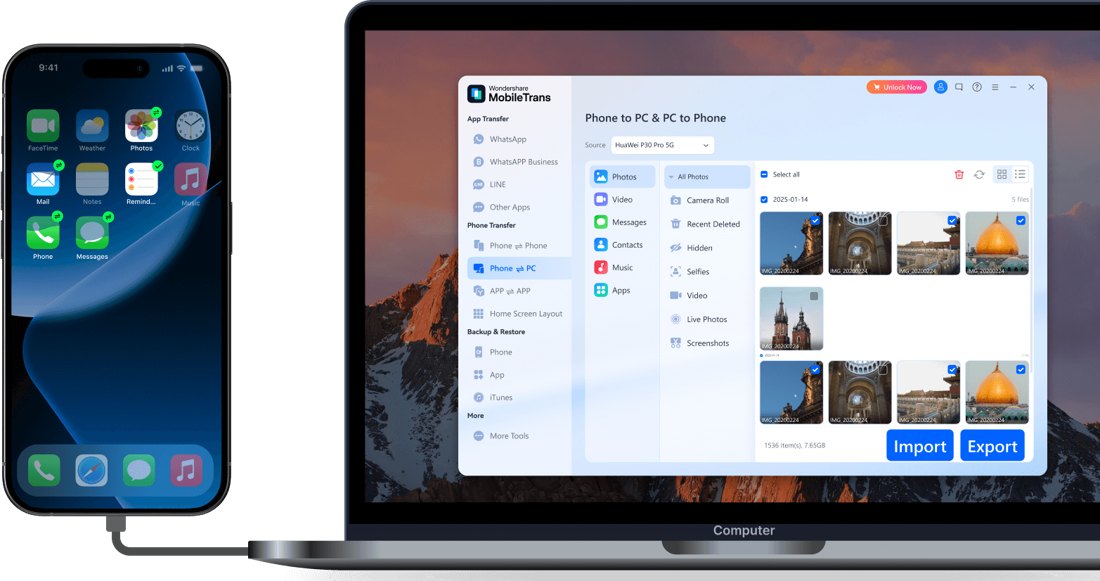
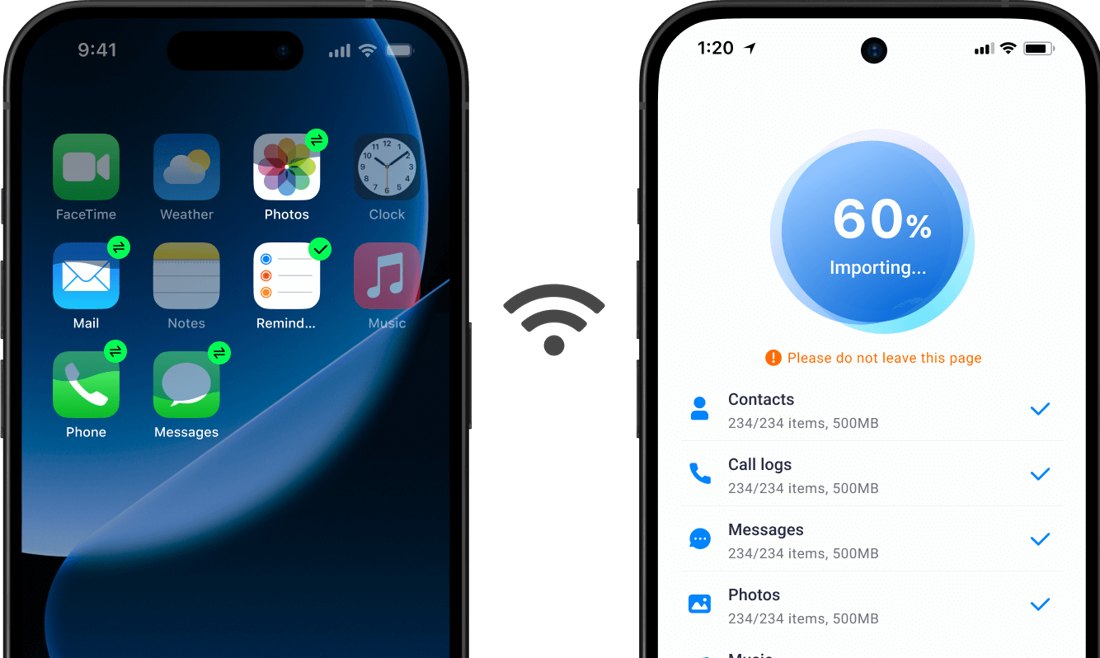
MobileTrans is Wondershare’s phone-to-phone transfer tool. You install it on a computer, plug in the old and the new phone, and it moves contacts, messages, photos, videos and WhatsApp chats between them, including from iPhone to Android and back. It also backs up phones to the computer and restores those backups. Wondershare says it supports “18+ File Formats, 6000+ devices, and cross-platform transfer”. The desktop version is sold in three full plans, and the cheapest-looking one is not the one marked “Most Popular”. Here is what each plan really costs over a year, what the free trial lets you do, and the refund rule worth knowing before you pay.
MobileTrans desktop plans at a glance (Windows)
Plan: Yearly
- Price shown: US$39.99 a year
- Renews: yes, yearly
- License: 1 PC, 1–5 phones
- 12 months cost (our math): US$39.99
Plan: Monthly (“Most Popular”)
- Price shown: US$29.99 a month
- Renews: yes, monthly
- License: 1 PC, 1–5 phones
- 12 months cost (our math): US$359.88
Plan: Perpetual
- Price shown: US$49.99 once
- Renews: no
- License: 1 PC, 1–5 phones, current major version
- 12 months cost (our math): US$49.99
All three full plans include the same three features: WhatsApp Transfer, Phone Transfer and Phone Backup & Restore. Each card also shows a crossed-out higher reference price (US$59.99, US$39.99 and US$79.99), a 7-day money-back guarantee, and the note that all prices are subject to applicable local taxes. Mac licenses are sold on a separate Mac pricing page and can’t be used on Windows (or the other way round).
See current MobileTrans prices on the official store
Why “Most Popular” is the expensive one
The Monthly plan carries the “Most Popular” badge, but it is US$29.99 every month, while the Yearly plan is US$39.99 for the whole year. One month on Monthly costs about three quarters of a full year on Yearly. Keep Monthly running for 12 months and you pay US$359.88, about nine times the Yearly price (our arithmetic). Even the one-time Perpetual license (US$49.99) costs only US$10.00 more than one year of Yearly.
Monthly only makes sense if you need MobileTrans for one move, finish within the month and cancel straight away. But a single month (US$29.99) is still only US$20.00 less than owning the Perpetual license.
Yearly: US$39.99, the cheapest way in
Yearly gives you all three features for a year, with “free software updates and technical support”. It renews automatically; MobileTrans says you’ll get an email notification 7 days before the end of the subscription, and you can cancel renewal in your Wondershare account at any time. The pricing FAQ says an annual plan includes software updates, “including major upgrades”, during the subscription.
Perpetual: US$49.99 once, but tied to one version
Perpetual is a one-time purchase with “perpetual access to all features of the software version you purchase”. The catch is in MobileTrans’s own FAQ: updates “from version 5.1 to version 5.9 are included, while moving from version 5 to version 6 is considered a major upgrade and may require an additional purchase.” If you swap phones every year or two and want to keep using the newest version, that matters; if you only need it for the occasional transfer, Perpetual is the best value over time.
Single-feature plans: almost the price of everything
Below the main cards, MobileTrans also sells each feature on its own (WhatsApp Transfer, Phone Transfer, or Backup & Restore). On the page’s monthly view each single feature is US$25.99 a month, against US$29.99 for Full Features, a difference of just US$4.00. The comparison table also shows that the WhatsApp-only and Phone Transfer-only plans limit Phone Restore and iTunes Restore to “10 free photos”. In most cases a full plan is the better buy.
What the free trial does (and doesn’t)
MobileTrans is a free download, but its FAQ on the free trial version (dated October 10, 2019, the most recent one on the site) says:
- Phone Transfer: you can connect both phones to check that they are detected, but “to transfer phone data to another phone, you have to buy a license”.
- WhatsApp Transfer: backing up social app data works in the free version; restoring chats to a phone or transferring WhatsApp phone to phone asks you to buy.
- Backup: “free even if you do not buy a license”.
- Restore: the free version only shows how many files of each type are in a backup; restoring them to a phone needs a license.
So the free version is useful for one thing: making a backup of your old phone on your computer and checking the connection before you pay.
License rules to check before buying
- 1 PC, up to 5 phones: “you can only authorize your license to one computer and connect 5 devices”. More phones or another computer means buying another plan.
- Windows and Mac are separate: a Windows license won’t activate on a Mac, and you can’t move it across if you switch computers.
- Personal use: the FAQ recommends a business license for commercial use (sold on a separate Business tab).
- The Dr.Fone add-on checkbox: every card has an “Unlock 10% off your Full Features!” box that adds the Dr.Fone App with a 3-day free trial, then US$6.99 a month. It’s a separate subscription; leave it unticked unless you want it.
- Other chat apps: the FAQ says transfers of LINE, Viber, Kik and WeChat data are supported “from iPhone to iPhone at present”; WhatsApp works between iPhone and Android.
Refunds and cancelling: the 7-day catch
Most Wondershare products bought directly get a 30-day refund window, but Wondershare’s refund policy lists MobileTrans (with Dr.Fone, Recoverit, Repairit and a few others) at 7 days from initial payment. EU residents keep a 14-day withdrawal right, subject to legal exceptions. The pricing page describes the guarantee as applying “if the product does not perform as intended, subject to our refund policy”, and the policy lists these as generally not eligible:
- requests based solely on change of mind or personal preference;
- renewal orders where the subscription wasn’t cancelled before the renewal charge;
- purchases made in the App Store, Google Play or through a reseller (ask that store instead).
Wondershare asks you to cancel at least 24 hours before the current billing period ends. If you buy Monthly for a single move, cancel the renewal the same day.
The MobileTrans phone app has its own plans
If you’d rather transfer without a computer, the MobileTrans App is sold separately for Android and iOS, in three tiers. On the app pricing page we saw Premium at $29.59 (reference $36.99), Standard at $18.39 ($22.99) and Essential at $15.19 ($18.99), each with a “20% OFF” label and “Automatically renew, cancel any time”. The page does not say how often they renew, so check the billing period at checkout. Premium is the only tier that lists WhatsApp Business Transfer; Essential drops Phone to Phone Transfer. App licenses are separate from desktop licenses.
Which plan should you buy?
- One phone switch now, maybe another next year: Yearly (US$39.99), and turn off auto-renew if you don’t need it again.
- You help family move phones every so often: Perpetual (US$49.99), with the caveat that a future major version may cost extra.
- Monthly (US$29.99): hard to justify. It costs almost as much as a whole year on Yearly and only US$20.00 less than Perpetual.
- Not sure your phones will connect? Use the free version first: it detects both phones and makes a backup before you pay.
Where MobileTrans’s pages don’t line up
- “Most Popular” vs value: the badge sits on Monthly (US$29.99 a month), the most expensive way to use MobileTrans for more than one month.
- Free trial FAQ is old: the free trial answer is dated October 10, 2019, while the current comparison table talks about “free photos” in restore features. Check what the free version allows on your version before relying on it.
- “Money-back guarantee”: the cards say “7-day money-back guarantee”; the small print limits it to the product not performing as intended, and the refund policy excludes change-of-mind requests.
- App renewal period: the app pricing page shows prices and “Automatically renew” but no billing period.
Worried about losing data, not just moving it? See our Recoverit vs Dr.Fone data recovery prices guide.
FAQ
How much does MobileTrans cost?
On the English Windows pricing page: Yearly US$39.99 a year, Monthly US$29.99 a month and Perpetual US$49.99 once. Each covers 1 PC and up to 5 phones. Local taxes may apply, and Mac prices are on a separate page.
Is MobileTrans free?
The download is free. According to MobileTrans’s FAQ, the free version can back up phones and detect connected devices, but phone-to-phone transfer, WhatsApp transfer to a phone and restoring need a paid license.
Is the Perpetual license really lifetime?
It’s lifetime for the version you buy. Minor updates (for example 5.1 to 5.9) are free; a new major version (5 to 6) may need an additional purchase.
Can I use one license on Windows and Mac?
No. MobileTrans says Windows licenses only work on Windows and Mac licenses only on Mac.
Can I get a refund on MobileTrans?
Wondershare’s refund policy gives MobileTrans 7 days from the first payment (14 days withdrawal for EU residents), and excludes change-of-mind requests, uncancelled renewals and App Store or Google Play purchases.
Does MobileTrans transfer WhatsApp from iPhone to Android?
Yes, WhatsApp Transfer works between iPhone and Android. MobileTrans’s FAQ says other chat apps like LINE, Viber, Kik and WeChat are supported iPhone to iPhone only.
Sources
All checked on October 20, 2026.
- MobileTrans – Pricing for Individuals (Windows): https://mobiletrans.wondershare.com/buy/pricing-for-individuals-windows.html
- MobileTrans – Pricing for Individuals (Mac): https://mobiletrans.wondershare.com/buy/pricing-for-individuals-mac.html
- MobileTrans – App pricing: https://mobiletrans.wondershare.com/store/mobiletransapp.html
- MobileTrans – FAQ: free trial limits: https://mobiletrans.wondershare.com/faq/which-is-the-limitation-on-free-trial-version.html
- MobileTrans – FAQ: which feature to buy: https://mobiletrans.wondershare.com/faq/which-software-i-need-to-buy.html
- MobileTrans – Homepage: https://mobiletrans.wondershare.com/
- Wondershare – Refund Policy: https://www.wondershare.com/refund-policy.html
