
Affiliate disclosure: this post contains an affiliate link to ElevenLabs (via PartnerStack). If you subscribe through it, SiftGuide may earn a commission at no extra cost to you; it does not change your price. Every step, limit and price below comes from ElevenLabs’ official documentation and ElevenAgents pricing page, checked on October 18, 2026. Prices are in US dollars and exclude taxes. The calls-per-plan figures are our own rough arithmetic.
ElevenAgents is ElevenLabs’ platform for AI agents you can talk to. It strings together speech to text (the ears), a language model (the brain) and ElevenLabs’ text to speech (the voice), and handles interruptions and turn-taking for you. You can put one on your website as a small “talk to us” button, answer phone calls with it, or use it as a text chat. This guide shows how to build a simple support agent in the dashboard, add it to any site (with exact WordPress steps), and what it really costs per minute.
ElevenAgents at a glance
Question: Does it cost anything to build an agent?
- Answer from ElevenLabs: No. Creating agents is free, and there is no limit on how many you create on any plan. You pay for call minutes and text messages.
Question: Free plan
- Answer from ElevenLabs: 15 minutes of calls a month, 4 concurrent calls, with the workflow builder, knowledge base, multilingual support and the website widget.
Question: Commercial License
- Answer from ElevenLabs: Starts on Starter (US$6 a month), which also adds text messages.
Question: Extra minutes
- Answer from ElevenLabs: US$0.08 per minute; US$0.16 per minute for burst calls above your concurrency limit; US$0.003 per text message.
Question: On top of that
- Answer from ElevenLabs: The language model (LLM) is billed separately, depending on the model you choose. ElevenLabs adds no telephony fee, but your phone provider (Twilio or a SIP trunk) bills you for its side.
Question: Where it runs
- Answer from ElevenLabs: A website widget, phone numbers via Twilio or SIP trunking, and SDKs for web and mobile apps.
Try ElevenAgents free (15 minutes a month)
Step 1: Build a support agent in the dashboard
- Create the agent. Sign in to ElevenLabs, open ElevenAgents and create a new assistant: give it a name and pick the Blank template.
- Write the first message. In the Agent tab, set the line it says out loud when someone starts a conversation, for example “Hi, this is Alexis from <company name> support. How can I help you today?”
- Write the system prompt. This sets its job, tone and limits. ElevenLabs’ own example tells the agent to answer from the knowledge base, ask for clarification when a question is unclear, stay on topic, and keep answers to a couple of sentences.
- Add a knowledge base. Upload your FAQs, policies, product sheets or docs, or add links. Files can be PDF, DOCX, TXT, Markdown, HTML or EPUB, up to 20 MB each. A document of up to roughly 300,000 characters can sit in the agent’s prompt in full; bigger ones have to use RAG (retrieval, where only the relevant passages are looked up per question). One document can be shared by several agents.
- Pick a voice. In the Voice tab, choose a voice from the Voice Library. ElevenLabs notes that higher-quality voices, models and LLMs can make replies slower, so balance quality against response time. New agents use Eleven v4 Turbo by default, and the agent can speak any language that voice model supports.
- Test it. Press Test AI agent and talk to it as a customer would. Rewrite the prompt until the answers are right.
- Measure it. In the Analysis tab, add evaluation criteria (each conversation is marked success, failure or unknown, with a reason) and data collection fields, such as the question the visitor asked. Results show up per conversation in Call history.
Step 2: Put the agent on your website
ElevenLabs gives every agent an embed widget. It’s two lines of HTML: a tag with your agent ID and a script that loads the widget. Copy yours from the agent’s page in the dashboard; it looks like this:
<elevenlabs-convai agent-id="YOUR_AGENT_ID"></elevenlabs-convai>
<script src="https://unpkg.com/@elevenlabs/convai-widget-embed" async type="text/javascript"></script>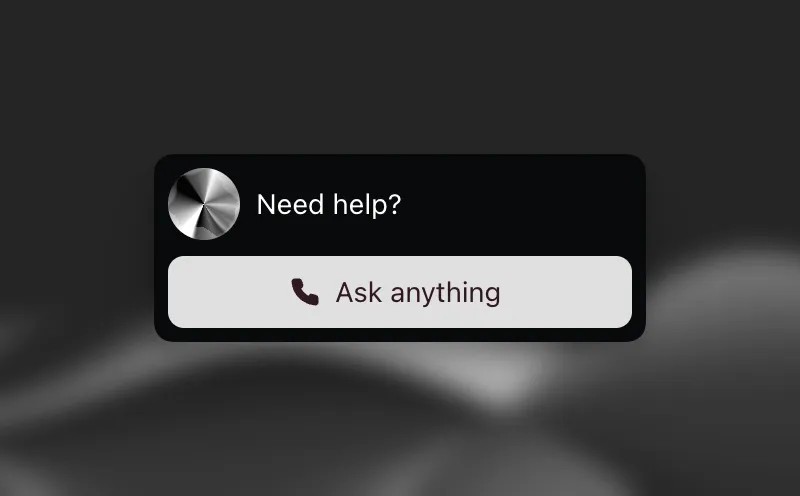
Two settings to check before it goes live. First, the widget only works with a public agent with authentication turned off (in the agent’s Advanced tab). Second, because the agent is public, add your own domain to the agent’s Allowlist in the Security tab so it only runs on your site.
Adding it to WordPress
You need a self-hosted WordPress site or a WordPress.com Business or Commerce plan (those are the two setups ElevenLabs lists for this).
- Edit the page where the agent should appear and add a Custom HTML block.
- Paste only the
<elevenlabs-convai agent-id="..."></elevenlabs-convai>line into it, then update or publish the page. - Load the script on every page. ElevenLabs suggests the free Header Footer Code Manager plugin: add the
<script ...>line to the Footer section and set it to run on All Pages. The alternative is to paste it before</body>in your theme’sfooter.php(Appearance > Theme Editor), but a theme update can overwrite that, so the plugin is the safer choice.
If the widget doesn’t show up, ElevenLabs’ checklist is short: the script is loaded site-wide, the tag is on the page, and you republished after the change. Clear any caching plugin too.
Step 3: Make the widget yours
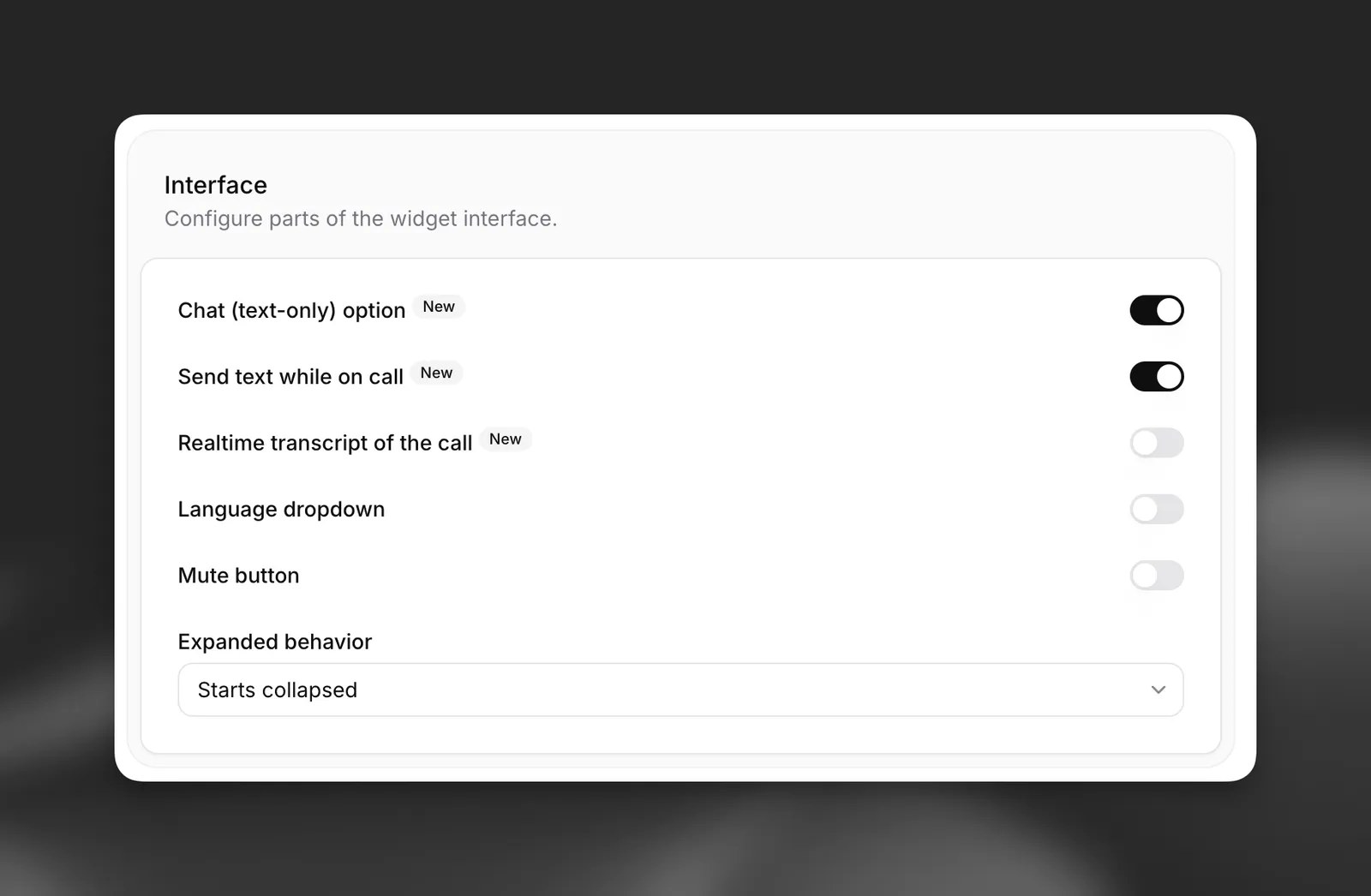
Open the agent’s Widget tab to change its look, avatar, text, terms and languages. The useful choices:
- Input mode: voice only (the default), voice plus text, or chat mode, where a conversation that starts with a typed message stays text-only.
- Terms: show your own terms in a pop-up before the conversation starts, useful for a recording or privacy notice.
- Feedback: none, during the conversation, or a single prompt after it.
- Links: links in the agent’s replies show as plain text by default, to prevent phishing. You can make links to your own domain clickable.
What it costs: minutes per plan
ElevenAgents is billed by call minutes, separately from the credits used for voiceovers. Each plan includes a number of minutes and a limit on how many conversations can run at once:
Plan: Free
- Price per month: US$0
- Call minutes included: 15
- Concurrent calls: 4
- Roughly how many 3-minute calls: About 5
Plan: Starter
- Price per month: US$6
- Call minutes included: 75
- Concurrent calls: 6
- Roughly how many 3-minute calls: About 25
Plan: Creator
- Price per month: US$22
- Call minutes included: 275
- Concurrent calls: 10
- Roughly how many 3-minute calls: About 91
Plan: Pro
- Price per month: US$99
- Call minutes included: 1,238
- Concurrent calls: 20
- Roughly how many 3-minute calls: About 412
The last column is our arithmetic, assuming every call lasts 3 minutes. Bigger plans exist too: Scale (US$299, 3,738 minutes, 30 concurrent calls) and Business (US$990, 12,375 minutes, 40 concurrent calls). Prices exclude taxes.
Things that change the bill:
- Billed time is connection time. A call is measured from when it connects until it ends or the visitor closes the window, so you can be charged for a little more than the actual talking.
- Silence is cheap. Stretches of silence longer than 10 seconds are billed at 5% of the normal rate.
- Going over your minutes costs US$0.08 a minute (so 100 extra minutes is US$8 by our math), but only once you’ve bought Pay As You Go credits; legacy subscriptions can use usage-based billing instead.
- The LLM is extra. Its cost depends on the model. The agent’s Primary LLM selector has a Detailed costs button with an estimate. ElevenLabs’ own advice is to pick the least complex model that does the job reliably and keep prompts short.
- Traffic spikes. You can turn on burst pricing per agent (Security tab, Limits, Enable bursting). The agent can then take up to 3 times your concurrency limit (300 at most), with the extra calls at US$0.16 a minute and lower processing priority, so they may respond more slowly. Call queueing is the other option: callers hear hold audio until a slot frees up, and queue time isn’t billed.
- Phone calls. ElevenLabs adds no telephony fee, but you need your own provider. With Twilio you need a paid Twilio account and number, which you import and verify with your Twilio SID and Auth Token; other carriers connect through SIP trunking. That provider bills you for its side of the call.
More from ElevenLabs
For the voiceover and credit side of ElevenLabs, see our ElevenLabs pricing guide. Want the agent to sound like you? Our voice cloning guide covers Instant and Professional clones.
FAQ
Is ElevenAgents free?
Building agents is free, and the Free plan includes 15 minutes of calls a month with the website widget. The Commercial License starts on Starter (US$6 a month before taxes), so use a paid plan for a business site.
Can I add an ElevenLabs agent to WordPress?
Yes. Paste the agent tag into a Custom HTML block on the page and load the widget script on all pages, for example with the Header Footer Code Manager plugin. It needs a self-hosted site or a WordPress.com Business or Commerce plan.
How much does an ElevenLabs voice agent cost per minute?
Extra minutes beyond your plan cost US$0.08 each (US$0.16 for burst calls), plus the language model, which is billed separately. Text messages cost US$0.003 each.
Can the agent answer phone calls?
Yes, through Twilio or SIP trunking. ElevenLabs bills call minutes at the same rate as other channels; your phone provider charges for its side.
Can visitors type instead of talk?
Yes. Switch the widget to voice plus text, or enable chat mode for text-only conversations.
How many agents can I create?
As many as you like on any plan; the limits are your call minutes and concurrent calls.
Sources
All checked on October 18, 2026.
- ElevenLabs docs – ElevenAgents overview
- ElevenLabs docs – ElevenAgents quickstart
- ElevenLabs docs – ElevenAgents in WordPress
- ElevenLabs docs – Widget customization
- ElevenLabs docs – Knowledge base
- ElevenLabs docs – Burst pricing
- ElevenLabs docs – Optimizing LLM costs
- ElevenLabs Help Center – ElevenAgents FAQ
- ElevenLabs – ElevenAgents pricing: https://elevenlabs.io/pricing/agents
